ESIM And SIM Cards For Oaxaca
Oaxaca City is an inland highland capital where a working phone helps with maps, ride apps and bookings, but where plenty of the best days, from Monte Albán to the Tlacolula Valley, run fine on a downloaded map and a full battery.
A travel eSIM activated before you land at Xoxocotlán airport is the simplest data option for Oaxaca City; a physical Mexican SIM bought in the Centro Histórico works too. Either way, download offline maps for the valleys, because day trips reach 67 km from the Zócalo.
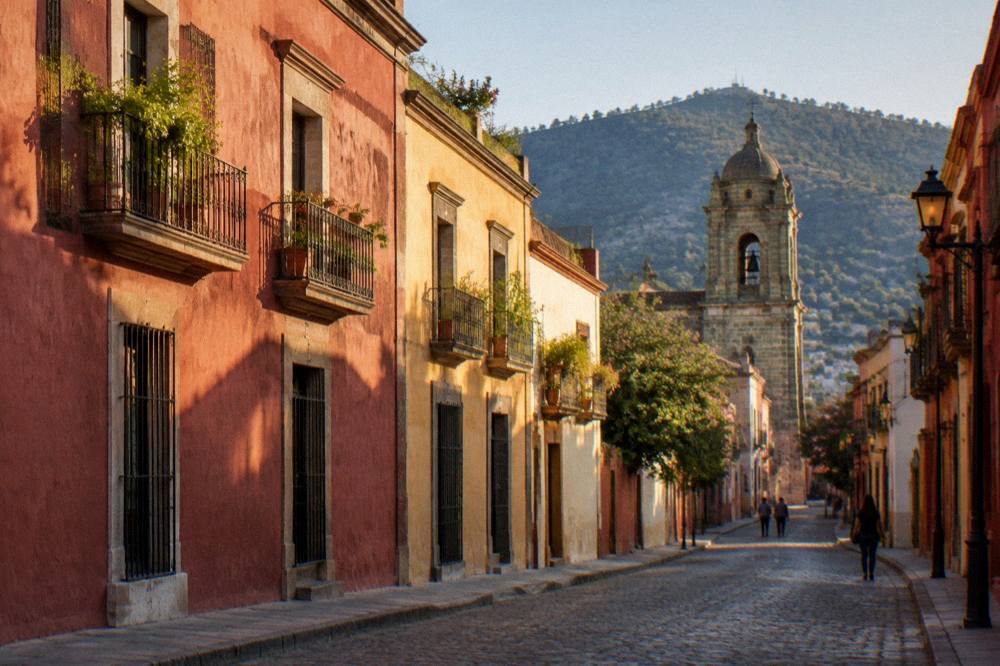
Oaxaca City, the capital of the state of Oaxaca in Mexico, sits inland in the Valles Centrales at about 1,550 m, and a working phone there earns its keep in specific ways: mapping the lanes of the Centro Histórico, holding a booked tour voucher, calling a ride when the rain comes down in June. What a phone does not do is hold the city together. The historic centre is compact and walkable, the big sightseeing decisions are made on paper itineraries as often as on screens, and the longest day trips in the region, out to Hierve el Agua and the villages of the Tlacolula Valley, run through mountain roads where a downloaded map matters far more than a live connection.
Do You Need Mobile Data In Oaxaca City?
Most of what a short Oaxaca City trip asks of a phone, a modest data allowance covers comfortably: maps for the Centro Histórico and its neighbourhoods, a messaging app, and the booking confirmations for a walking tour or a cooking class. The city received 1,324,332 tourist arrivals in 2025 against a resident municipality of 270,955 people, and its compact core means navigation errors cost minutes, not hours.
The Centro Histórico aside, the layout is simple to hold in your head: the Zócalo, the Andador Macedonio Alcalá running north from the cathedral towards Santo Domingo de Guzmán, and the ring of neighbourhoods around it, Jalatlaco and Xochimilco within an easy walk. Anyone starting with a short guided walk of the city tends to leave it with the geography settled, which quietly lowers the amount of data burned on map apps for the rest of the stay.
Where the phone genuinely matters is logistics. Tour vouchers arrive by email or messaging app, restaurants and cooking classes confirm by message, and ride-hailing apps operate in the city, as the getting around guide and the taxis, Uber and DiDi page set out in detail. None of that is data-hungry. A trip that spends its days in museums and its evenings in the Mercado 20 de Noviembre makes light demands on a connection.
The honest framing is this: data in Oaxaca City is a convenience layered over a place that functions well without it, and the further you plan to range into the valleys, the more your preparation shifts from buying connectivity to downloading offline content. Both halves of that sentence are covered below.
ESIM Or A Physical SIM Card For Oaxaca?
A travel eSIM activated before departure is the lower-friction choice for a stay measured in days: no shop visit, no SIM swap, and your home number keeps working for two-factor codes. A physical Mexican SIM suits longer stays and repeat visits, since it is bought and topped up in person in Oaxaca City. Neither choice changes what the phone can do in the valleys, and both work alongside a downloaded offline map.
The case for the eSIM is setup, not performance. You install the profile at home over wifi, and it activates on landing at Xoxocotlán airport, which the transport pages cover as an ASUR-operated terminal with its own arrival logistics in the Oaxaca airport guide. Anyone whose bank sends SMS codes to a home number keeps that number live in parallel, which matters more than travellers expect on the first day of a trip.
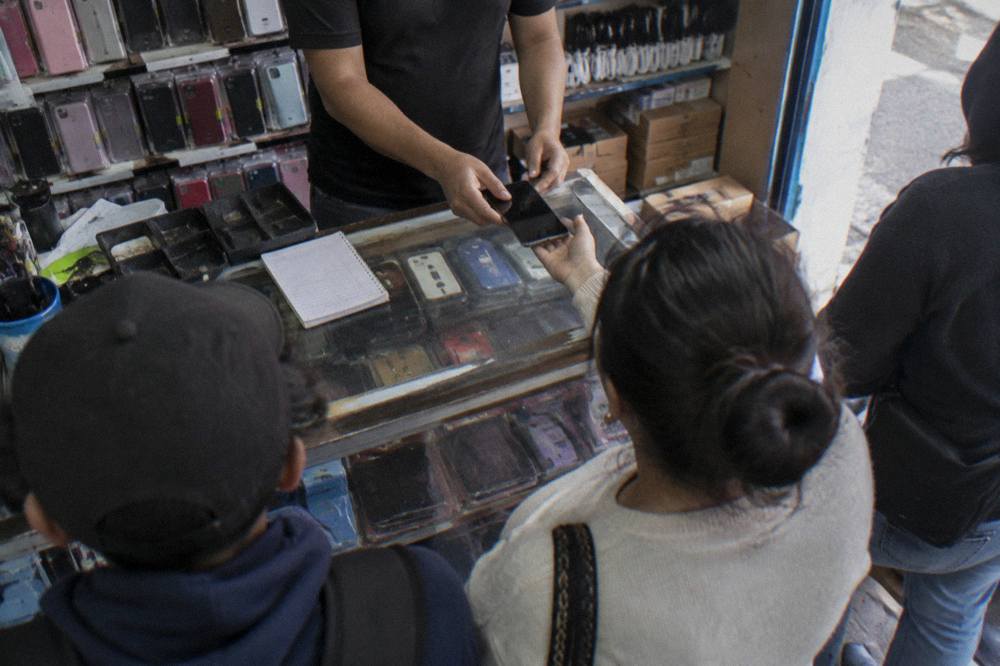
The case for the physical SIM is economics and control over a longer stay. Shops selling Mexican SIM cards sit in and around the Centro Histórico, and buying one is a counter transaction: hand over the phone, register the card, choose a top-up. Treat the purchase the way you would a market stall, see what is on offer that day.
A third option deserves its line: doing nothing. Home carriers sell Mexico roaming bundles, and for a two-night stop that may be the whole answer. Compare the roaming price against an eSIM before departure, and remember the airport's authorised transport runs on cash and counters rather than apps, so the first hour in Oaxaca never depends on data anyway.
Where Can You Buy A SIM Card In Oaxaca?
SIM cards in Oaxaca City are bought in person at phone and electronics shops in the Centro Histórico and along the commercial streets radiating from the Zócalo, with a second cluster near the airport arrivals hall, and the purchase is a counter transaction: choose a plan, register the line, top up in pesos. Prices and plan sizes sit with the seller on the day, and pesos are the currency that settles it.
Start in the centre. The streets around the Mercado Benito Juárez and the blocks towards El Llano carry the kind of phone shops that sell and register Mexican SIM cards, and the whole errand fits inside an afternoon of sightseeing. Registration requires identification, as Mexican lines are registered to a name, so carry a passport rather than assuming a photographed copy will do.
The airport is the fallback. Xoxocotlán is a compact terminal operated by ASUR, and its arrivals side carries the standard duty-free-and-telecom concessions of a regional Mexican airport. Buying there costs convenience time rather than the trip into the centre, and anyone landing late, the terminal operates to a daily schedule rather than round the clock, should weigh a next-morning purchase in town against an airport counter that may already be shut.
Two practical notes from the money side. First, the currency is Mexican pesos, and top-ups are peso transactions, so the money, ATMs and cash guide is the companion read for how much cash to hold in the centre. Second, keep the old SIM safe and note which slot it came from; the swap home is the part people fumble at the departure gate.
For readers who prefer a structure to a shop counter, here is the decision laid out plainly:
| Option | Where Sorted | Best For | Paid In |
|---|---|---|---|
| Travel eSIM | At home, before departure | Short stays, keeping home number live | Home currency or card |
| Physical Mexican SIM | Phone shops in the Centro Histórico or at the airport | Longer stays, repeat visits | Mexican pesos |
| Home-carrier roaming | At home, before departure | One or two nights, minimal hassle | Home carrier billing |
| No data at all | Offline maps downloaded in advance | Centro-only stays on foot | Nothing |
How Far Do Day Trips Stretch From The Centre?
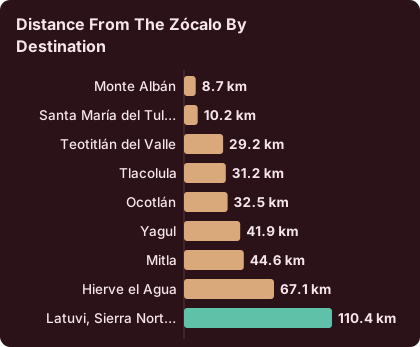
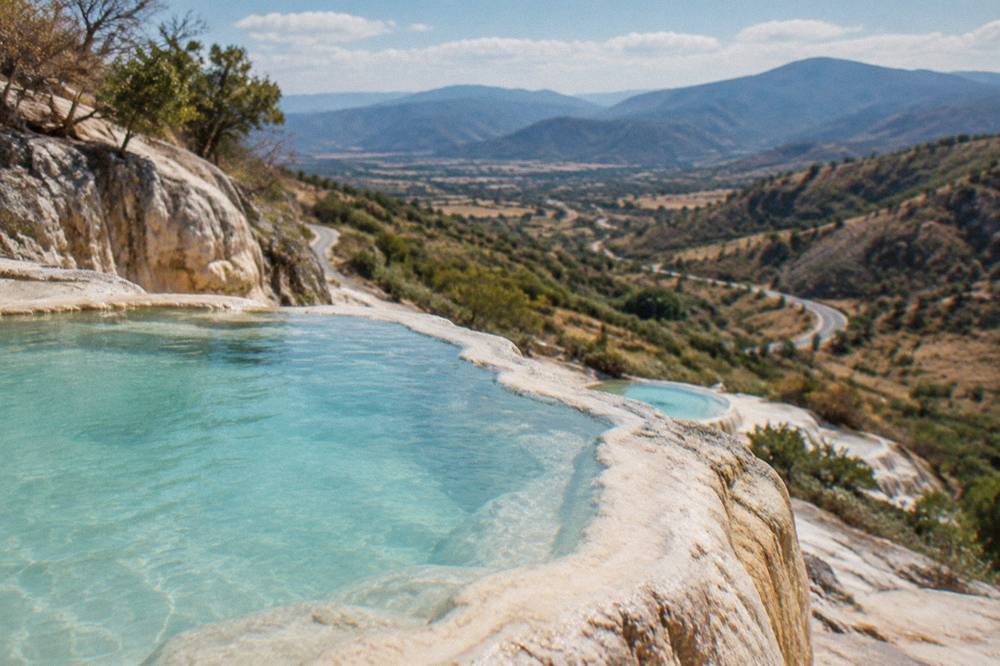
The valleys pull your planning outward: Monte Albán sits about 15 minutes' drive from the Zócalo, Mitla about 37, Hierve el Agua about 57, and the Sierra Norte village of Latuvi about 142, all free-flow estimates that real traffic and mountain roads lengthen, which is exactly why downloaded offline maps belong on the phone before any of these trips rather than a live connection assumed along the route.
The distances below are computed from the Zócalo on the road network, and they are the working numbers for deciding what a trip needs from a phone: a 15-minute run to Monte Albán forgives a dead connection, a 57-minute mountain drive to Hierve el Agua does not.
| Destination | Distance From The Zócalo | Free-Flow Drive Time |
|---|---|---|
| Monte Albán | 8.7 km | about 15 min |
| Santa María del Tule | 10.2 km | about 11 min |
| Teotitlán del Valle | 29.2 km | about 26 min |
| Tlacolula | 31.2 km | about 25 min |
| Ocotlán | 32.5 km | about 37 min |
| Yagul | 41.9 km | about 38 min |
| Mitla | 44.6 km | about 37 min |
| Hierve el Agua | 67.1 km | about 57 min |
| Latuvi, Sierra Norte | 110.4 km | about 142 min |
Two habits carry most of the weight on these roads. Download the offline map for the state of Oaxaca, not just the city, the night before any valley trip, and screenshot or save the tour operator's meeting instructions to the phone's local storage. Guided day products handle the route themselves, which is a large part of their value on the longer runs, as the Hierve el Agua day trip guide and the Mitla and Tlacolula page set out. An eSIM or SIM keeps the passenger seat entertained; the offline map is what answers when the road climbs.
What Should Be Downloaded Before You Arrive?
Three downloads do most of the work for an Oaxaca trip: an offline map covering Oaxaca City and the surrounding valleys, the vouchers and confirmations for every booked tour and class saved to the phone itself, and the sections of this or any guide you plan to use on the ground, all pulled over home wifi or hotel wifi before the day starts, because a live connection is the thing you are planning around rather than relying on.
Offline maps are the first and largest. The city's core needs little more than a screenshot of a hotel address, but the valley day trips run through areas where assuming continuous coverage is a planning error rather than a fact either way. Save the map region generously, from the city out past Mitla and up into the Sierra Norte, and the phone answers on any road in the table above. The wider set of guides lives on Oaxaca Travel Guide.
Saved documents come second. Tour vouchers, the airport transfer details from the flights to Oaxaca page or the Oaxaca airport guide, a hotel booking in a format that opens without a network: all of these belong in local storage, not in an inbox that demands a connection at the exact moment a driver is waiting.
Battery planning comes third and costs nothing. Long camera days at Monte Albán and Hierve el Agua drain phones faster than city days, and the souvenir stalls of the valleys are not electronics shops. A power bank and a paper note of the hotel's street address close the loop that no SIM card closes on its own.
Does The Season Change Your Data Planning?
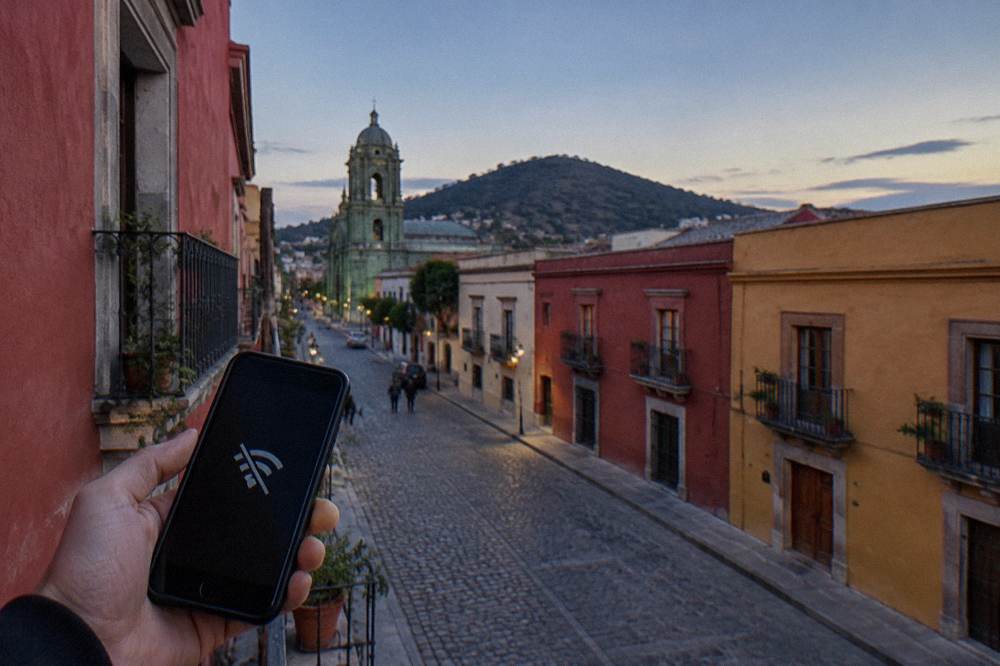
The seasons change how you use a phone in Oaxaca more than they change the connection itself: the dry season from November to April brings 2.4 mm of rain in January and 9.0 mm in December against 188.3 mm in June, and a rainy-season afternoon puts a premium on being able to call a ride or check a forecast from under a doorway, while a dry-season day barely asks the phone a question.
The climate table for the city, from the SMN station normals for 1991 to 2020, is the planning backbone. Rainfall in millimetres and days with rain, month by month:
| Month | Rain (mm) | Days With Rain |
|---|---|---|
| January | 2.4 | 1.4 |
| February | 4.6 | 1.1 |
| March | 17.6 | 4.1 |
| April | 47.3 | 7.6 |
| May | 97.9 | 13.7 |
| June | 188.3 | 19.9 |
| July | 118.6 | 20.4 |
| August | 131.8 | 20.5 |
| September | 163.6 | 21.4 |
| October | 63.1 | 12.0 |
| November | 9.1 | 3.5 |
| December | 9.0 | 2.4 |
Read it as a data-planning table. In June through September, roughly one day in three brings rain and the afternoons can close in quickly, and that is the season when a working connection for ride apps and a charged battery genuinely change an evening. In the dry months the phone is closer to a camera with a map attached. The weather by month guide and the best time to visit page carry the fuller picture, including the January low of 10.3 C and the April high of 34.9 C that shape what you carry in a pocket alongside the phone.
One seasonal note that no SIM card solves: timezone. Mexico abolished daylight saving time, and Oaxaca sits at UTC-6 all year, so a phone left on home-time logic has been known to send its owner to a Guelaguetza performance an hour off. Check the clock setting on landing day, not the data plan.
Which Oaxaca Sights Work Fine Without A Connection?
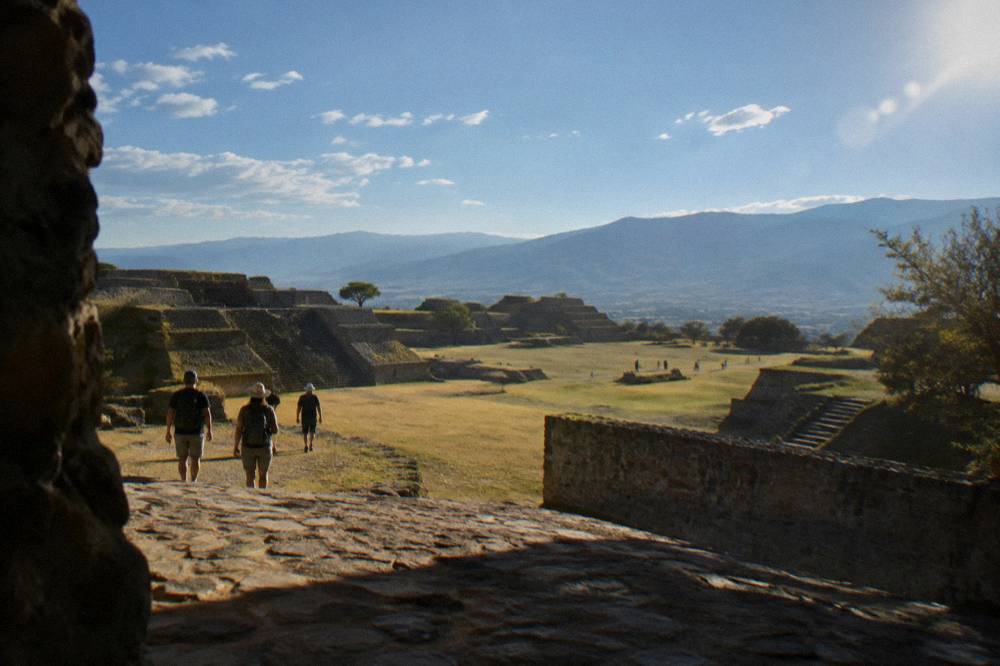
A long list of the city's headline sights runs entirely without live data: Monte Albán, Mitla and Yagul charge 105 MXN for nationals and 210 MXN for foreign visitors at the gate in cash terms, the Jardín Etnobotánico's guided tours are free and run on a fixed schedule, and the Museo de las Culturas de Oaxaca opens Tuesday to Saturday 10:00 to 16:00, so the phone's job at all of them is a saved ticket detail or an offline map, never a live lookup.
The INAH fee schedule for the archaeological zones, in pesos at the gate:
| Site | Category | Nationals (MXN) | Foreign Visitors (MXN) |
|---|---|---|---|
| Monte Albán | I | 105 | 210 |
| Mitla | I | 105 | 210 |
| Yagul | I | 105 | 210 |
| Dainzú | III | 80 | 145 |
| Lambityeco | III | 80 | 145 |
| Zaachila | III | 80 | 145 |
And the opening pattern that actually decides itineraries:
| Site Or Museum | Days | Hours | Last Access |
|---|---|---|---|
| Monte Albán | Monday to Sunday | 08:00 to 17:00 | 16:00 |
| Mitla | Monday to Sunday | 08:00 to 17:00 | 16:30 |
| Zaachila | Thursday to Sunday only | 10:00 to 16:00 | gate closes 16:00 |
| Atzompa | Monday to Sunday | 08:00 to 16:00 | 15:00 |
| Museo de las Culturas de Oaxaca | Tuesday to Saturday only | 10:00 to 16:00 | at the museum |
The pattern behind the table is the point for a connectivity page: these are fixed, published facts, and fixed facts belong in offline storage. A screenshot of this table answers more questions on a bus to Mitla than any live search. The visitors themselves follow the same logic, Monte Albán recorded 416,675 visitors in 2025 against Mitla's 104,428, and the smaller zones sit far below, which is why the Monte Albán guide and the Yagul and Dainzú page reward a little offline preparation.
For the food-minded, the same holds in the markets. The Mercado 20 de Noviembre guide and the street food page describe a world of stalls and counters where the transaction is cash and pointing, and the phone's contribution is a saved note of what to look for, tejate, tlayudas, chapulines, rather than anything streamed.
How Does Connectivity Fit Into A Longer Stay?
For a stay of a week or more, the connectivity question folds into the wider planning one: the city's average visitor stay in 2025 was 2.00 nights, so most data setups are sized for short trips, but longer stays justify a local SIM, deeper offline preparation for the Sierra Norte and the coast roads, and the kind of slow itinerary the how many days in Oaxaca guide lays out.
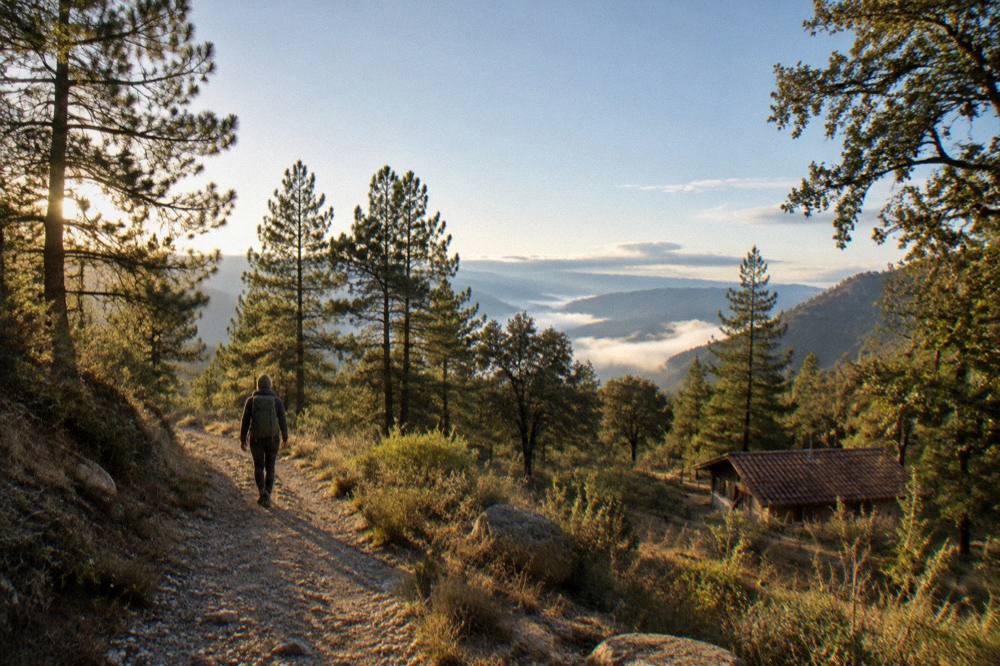
The Sierra Norte is the case study. Latuvi and the Pueblos Mancomunados sit about 142 minutes' free-flow drive from the Zócalo, on mountain roads where planning beats improvisation, and the Sierra Norte and Pueblos Mancomunados page exists precisely because that region rewards preparation. Download the maps, save the accommodation contacts, carry the power bank, and treat any connection found up there as a bonus rather than a plan.
The coast is the other direction. Puerto Escondido lies about 165 minutes away on the new highway by free-flow estimate, and the coast pages, Oaxaca to Puerto Escondido among them, describe long extensions rather than day trips. A coast leg changes the phone plan mostly by distance: more offline map, more saved confirmations, and the same eSIM or SIM doing quiet work the whole way.
Within the city, a longer stay also means events, and the events calendar rewards a working connection for ticketing. The Guelaguetza's 2026 edition sold its Palco A seats at 1,632 MXN and Palco B at 1,321 MXN through the official ticketing channel with a two-ticket limit per account, and paid sections sold out quickly, as the Guelaguetza guide records. That is the one Oaxaca scenario where being online at the right moment has a price attached to missing it.
What About Safety, Cash And The Rest Of The Practical Stack?
Connectivity is one layer of a small practical stack: the US advisory for Oaxaca state reads Level 2, exercise increased caution, the UK FCDO's Mexico page does not name Oaxaca among its avoid areas, and Canada advises a high degree of caution nationwide, while the money answer on the ground is pesos, with the Oaxaca safety guide and the cash page carrying the detail, so a working phone supports the stack without being the stack.
Three of those layers interact with a SIM card directly. Ride apps need data and pesos; the advisory picture needs nothing more than reading the linked pages before travel; and the blockade risk, a standing pattern of sporadic road closures in the state, is best met with a charged phone, offline maps and a plan B for any single fixed transfer, which is exactly the kit this page has been assembling.
The cash layer deserves the last word of this section because it is the one visitors most often get backwards. INAH sites take pesos at the gate, market stalls take pesos, and the airport's authorised transport is a counter transaction in pesos, while bookable products, tours, classes, day trips, are bought in advance from a listing and shown on a screen. The phone holds the second half of that sentence; the wallet holds the first.
Common Questions About ESIM And SIM Cards For Oaxaca
Do I Need An ESIM Or SIM Card For Oaxaca?
A modest data allowance covers what an Oaxaca City trip asks of a phone: maps, messages and booking confirmations. A travel eSIM set up before departure is the simplest route for a short stay; a physical Mexican SIM bought at a phone shop in the Centro Histórico suits longer stays. Offline maps downloaded in advance cover the valley day trips regardless of which you choose.
Can I Buy A SIM Card At Oaxaca Airport?
Xoxocotlán airport is a compact ASUR-operated terminal, and its arrivals side carries the standard telecom concessions of a regional Mexican airport. Availability depends on the hour, the terminal runs on a daily schedule rather than around the clock, so a late landing is better followed by a purchase at a phone shop in the centre the next morning.
Is Wifi Enough In Oaxaca City?
For a Centro-only stay built around walking, museums and markets, hotel and café wifi plus offline maps covers most needs. The gaps are the valley day trips, up to about 57 minutes' drive to Hierve el Agua and about 142 minutes to the Sierra Norte, and any app-based logistics in the city, which is where a data plan earns its cost.
Does My Phone Work In The Sierra Norte And The Valleys?
Treat connectivity outside the city as a bonus rather than a plan. The working method for Monte Albán, Mitla, Hierve el Agua and the Pueblos Mancomunados is an offline map downloaded before departure, saved meeting instructions from any tour operator, and a charged battery, with the phone's connection doing quiet work when it exists.
What Should I Download Before Flying To Oaxaca?
Three things: an offline map covering the city and the surrounding valleys out past Mitla and into the Sierra Norte, every tour and hotel confirmation saved to the phone's local storage, and the practical pages you plan to use on the ground. The timezone is UTC-6 all year, so also check the phone's clock setting on landing day.
Do I Need Data For Guelaguetza Or Día De Muertos Tickets?
Guelaguetza tickets sell through the official ticketing channel online, and the 2026 paid sections sold out quickly with a two-ticket limit per account, so a working connection at the on-sale moment matters there. Día de Muertos needs no ticket for its street and cemetery traditions; the 2026 programme of events had not been announced in official sources, so check the state channels close to travel.
The short version for anyone packing tonight: set up the eSIM at home if the stay is short, buy a peso-topped local SIM if it is not, download the valley maps either way, and spend the first morning on a guided walk, Check availability for one, so the phone spends the rest of the trip as a convenience rather than a lifeline.